From strategy to everywhere, in three simple stages.
Give Campaign Pipeline the context, generate the assets, then make the work yours. The intelligence travels with the campaign.
Give us the strategy
Create or select a Brand Framework and Pipeline Brief. Or use Campaign Intelligence and Remixer to help build them.
Generate the campaign
Select the assets you need. Each one runs through its own structured generation workflow.
Make it yours
Edit, refine, analyze, download and share while keeping the campaign organized in one workspace.
Context before content.
A Brand Framework carries durable brand context. A Pipeline Brief carries the specific campaign strategy. Together, they give the generation engine the information it needs to stay aligned.
Generate only what you need.
Content Production shows the available asset types for a pipeline and lets you generate each one independently. Real step-level progress appears on the active tile while the asset is being built.
Refine, manage and move.
Edit the content, use the supporting AI tools where helpful, then manage completed work in Final Assets. Campaign Pipeline is designed to fit into the workflow you already have.
See Content Production →Know what the intelligence costs.
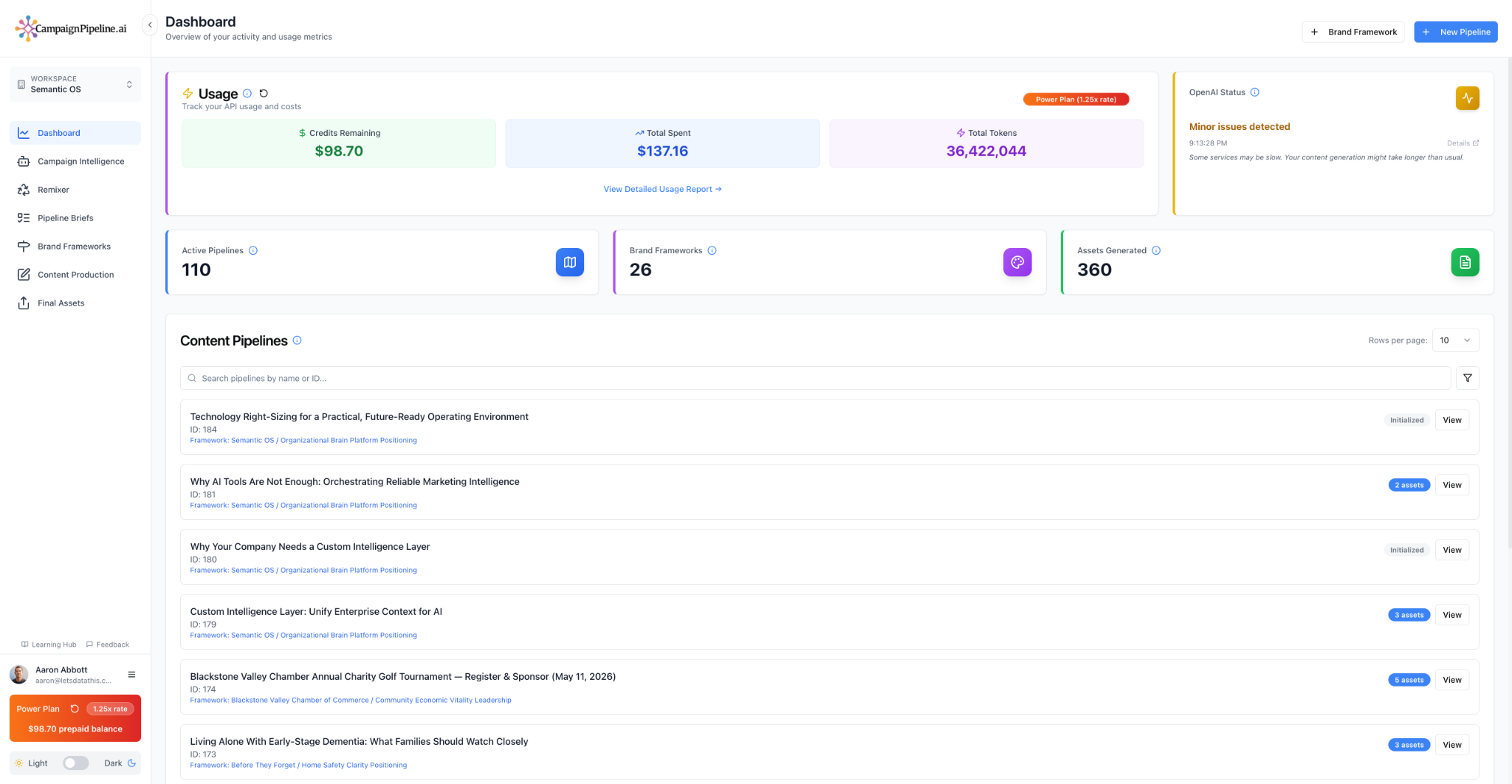
Campaign Pipeline uses prepaid AI credits and shows usage against your workspace balance. Higher subscription levels reduce the multiplier applied to usage.
See pricing →